On October 7, 2026, BC Card launched a personal shopper service that lets you check Paybooc shopping reward benefits right while searching for products in ChatGPT and move on to purchase. It’s the first time a Korean card company has built benefit guidance into ChatGPT conversations.
Once connected, you can compare reward rates without opening the Paybooc app separately. In exchange, some of your ChatGPT conversation context may be passed to BC Card the moment you connect, so it’s best to know what’s shared before connecting.
 BC Card logo
How the service works
 Concept image of comparing reward rates by shopping mall inside a ChatGPT conversation — Source: concept image · self-generated with agy
According to BC Card’s announcement, the flow has three steps. You connect ChatGPT and Paybooc once at the start, following Paybooc’s instructions; after that, when you search for products or weigh a purchase in ChatGPT and show interest in discounts or rewards, Paybooc shopping reward information appears in the conversation. Choosing a shopping mall takes you to Paybooc’s shopping rewards screen, and buying there earns the same rewards as existing Paybooc shopping rewards.
| Step | Where | What happens |
|---|---|---|
| 1 | Paybooc, ChatGPT | One-time connection |
| 2 | ChatGPT | Compare reward rates while searching |
| 3 | Paybooc | Buy on the shopping rewards screen |
For eligible products, it shows the reward rates of up to 3 partner shopping malls side by side so you can choose where to buy. No information appears for products normally excluded from shopping rewards, such as gift certificates and gifticons. Payment and rewards happen on the Paybooc screen, not in ChatGPT; it isn’t set up to complete payment inside ChatGPT.
To mark the launch, 500 customers who reach the Paybooc shopping rewards page through ChatGPT during October will be drawn to receive ₩3,000 in Paybooc Money. Each visit automatically earns one entry, up to 2 per day. BC Card said it will expand so other Paybooc benefits such as coupons, card discounts, and promotions can also be checked inside the conversation.
Information passed from ChatGPT to BC Card
BC Card’s press release and press reports don’t specify what information is shared when you connect. The reference is OpenAI’s help article on ChatGPT apps.
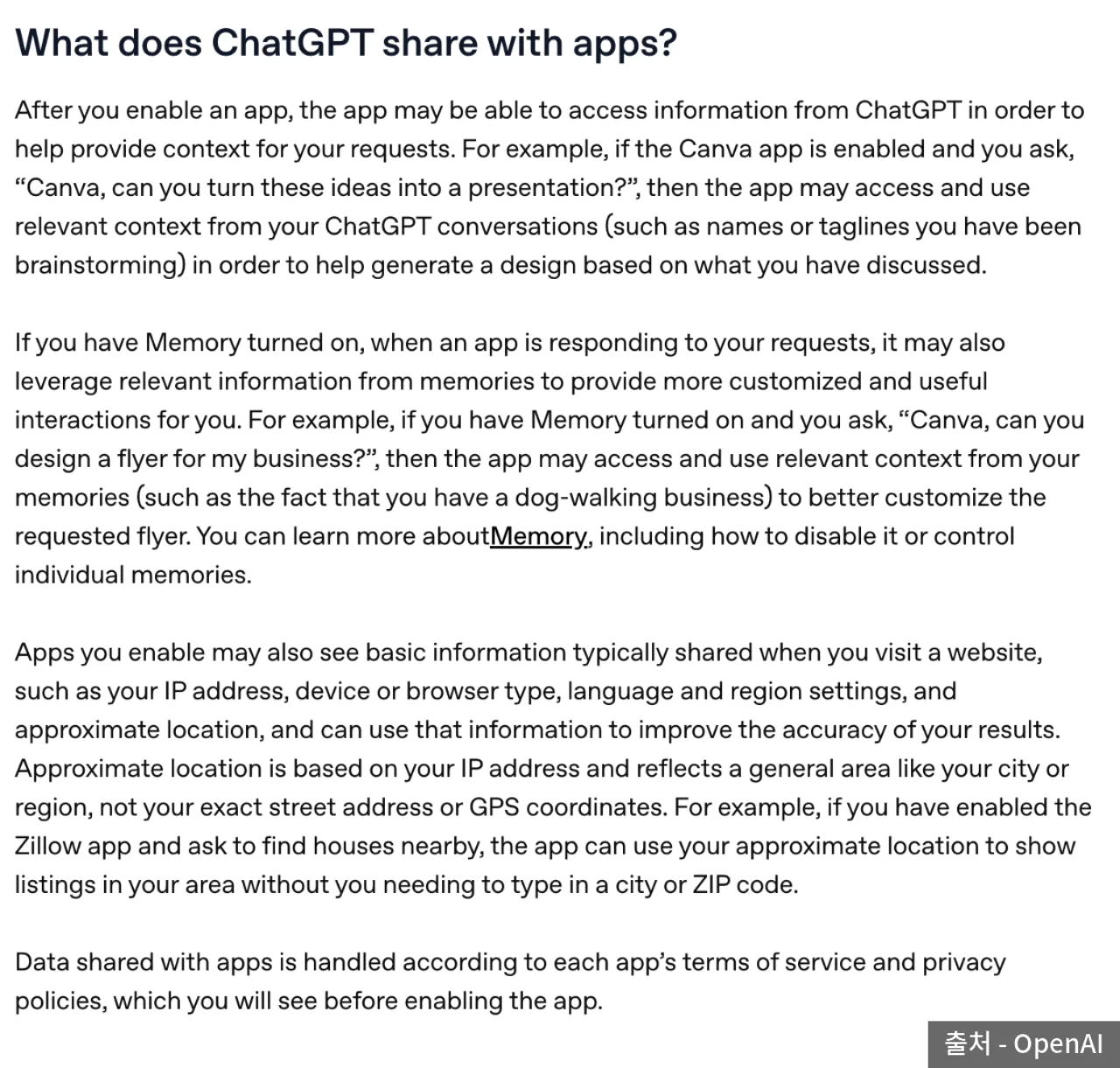 OpenAI Help section “What does ChatGPT share with apps” — Source: OpenAI
According to the help article, when you enable an app, it can reference the context it needs from your ChatGPT conversation to handle the request. If you’ve turned on memory, it can also reference relevant saved memories. On top of that, the app can see what’s commonly passed when visiting a website: IP address, device and browser type, language and region settings, and approximate location based on IP (city or region level).
- Conversation context: the parts related to the shopping request (e.g., the product you’re looking for, budget)
- Memory: relevant items, if turned on
- Connection information: IP, device and browser, language and region, approximate location
- Governing terms: the app’s terms and privacy policy shown before connecting
Checking those documents on the connection screen and handling health or financial information unrelated to shopping in separate conversations can narrow what’s shared.
The help article says that for ChatGPT Free, Plus, Go, and Pro users, if the “Improve the model for everyone” setting is on, information received from apps may be used to train OpenAI models. Reward rate information being used for training is unlikely to be a problem, but this setting applies the same way to other app connections.
What to check before connecting
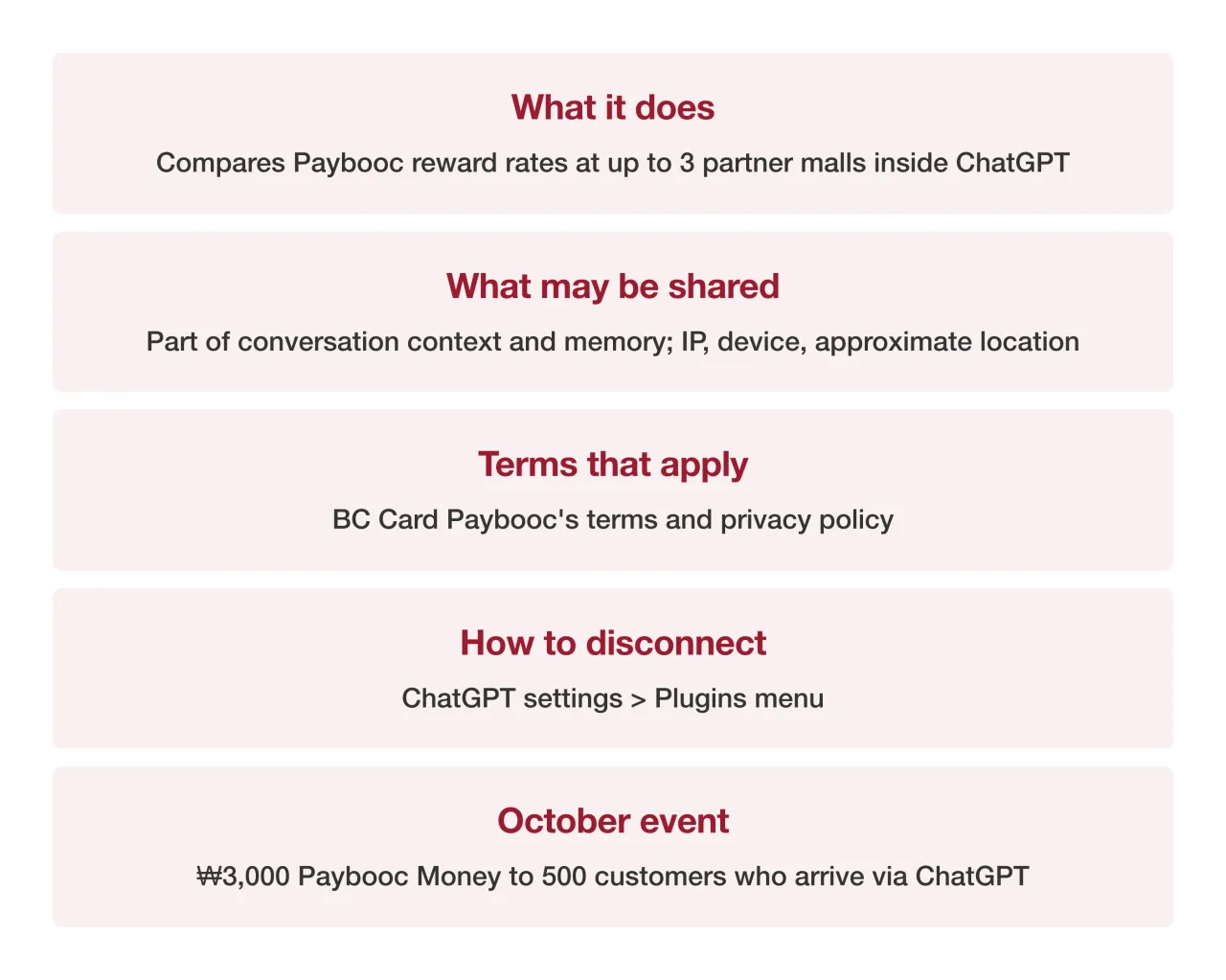 Checklist card before connecting BC Card’s ChatGPT personal shopper — Source: self-rendered from BC Card’s announcement and OpenAI Help
To disconnect, select the app in the Plugins menu of ChatGPT settings and disconnect it; OpenAI notes that Paybooc may also have its own disconnect menu. App permission settings decide whether ChatGPT asks for approval each time before using the app; they don’t limit the access already granted to the app. To remove access itself, you have to disconnect.
Whether Paybooc members who aren’t BC Card members can use shopping rewards, and what the connection consent items are, can’t be confirmed from public material, so check the notices in the Paybooc app directly.
Sources
- [Newspim] BC Card launches first card-industry ChatGPT-linked shopping rewards service (2026-10-07)
- [The Big Data] BC Card offers first card-industry personal shopper service through ChatGPT (2026-10-07, event, manager remarks)
- [SBS Biz] BC Card offers first card-industry shopping service through ChatGPT (2026-10-07)
- [OpenAI Help Center] Connected apps in ChatGPT (information shared with apps, disconnecting, training use; source of 1 image in the body)