Samsung Electronics began rolling out the official version of One UI 9 in Korea on September 16, 2026. The first devices are the three Galaxy S26 models, S26, S26+, and S26 Ultra, with other models to follow in stages.
The version that launched first in July with the Galaxy Z Fold8 Ultra, Fold8, and Flip8 is now reaching existing users, but rollout timing by device differs between the official announcement and regional notices, and the new features come with conditions.
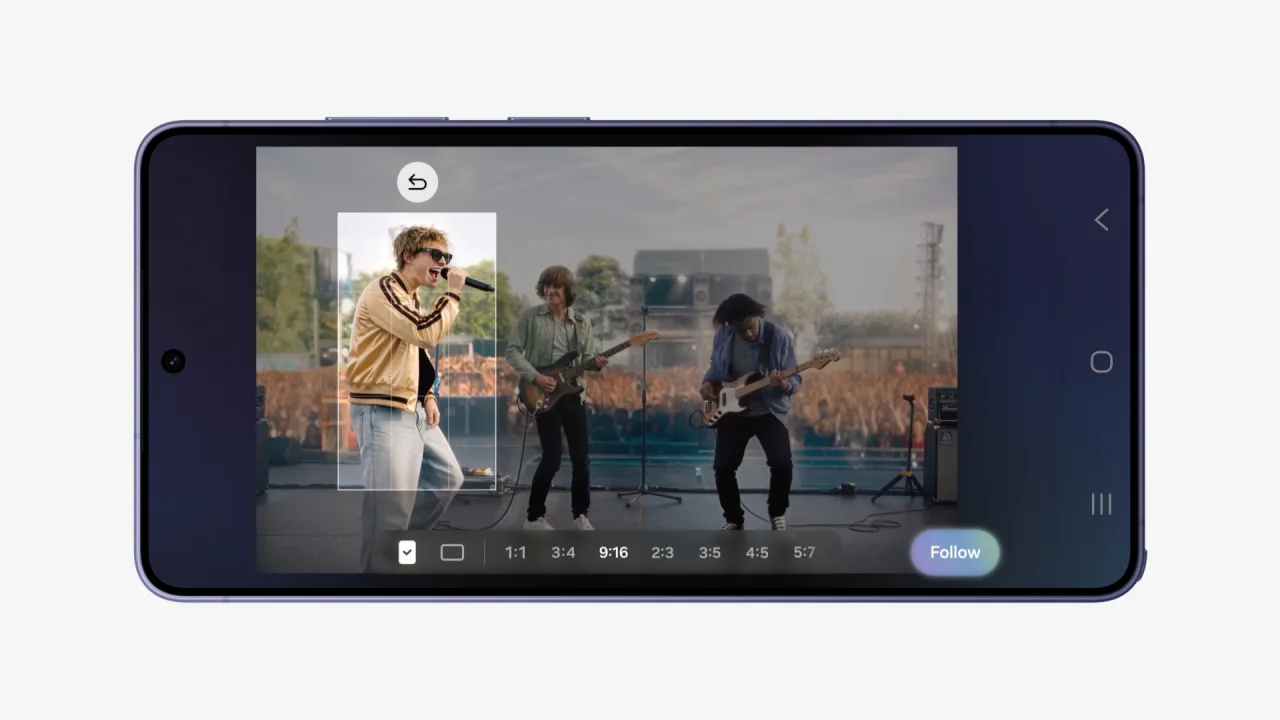 One UI 9 Korean launch key visual, showing My Fancam tracking a person in concert footage — Source: Samsung Newsroom Korea
Rollout so far
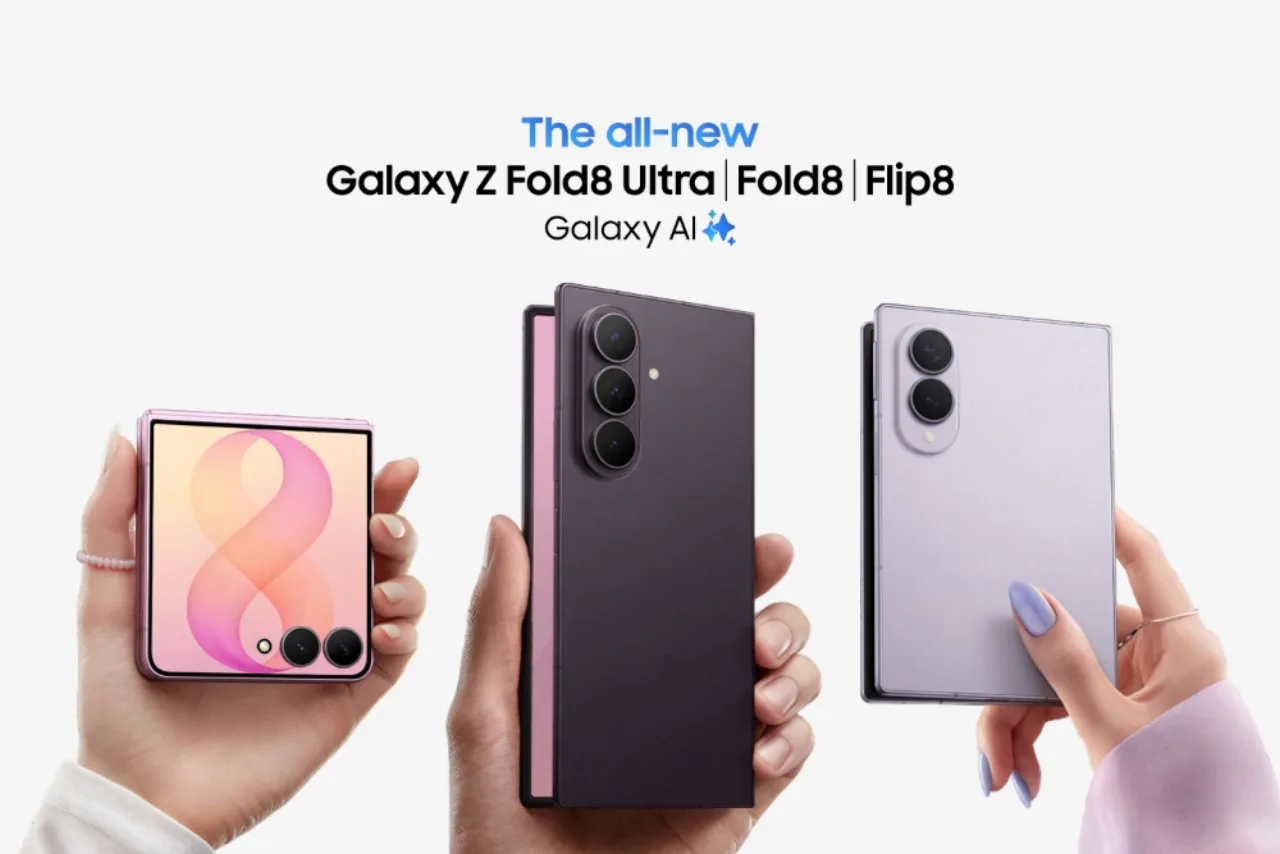 Galaxy Z Fold8 lineup launch key visual, the first devices to ship with One UI 9 — Source: Samsung Global Newsroom
One UI 9 is based on Android 17, and development was made public on May 12, 2026 with a beta program for the Galaxy S26 series. The beta ran in Korea as well as the US, UK, Poland, Germany, and India, and the first devices to ship with the official version were the Galaxy Z Fold8 Ultra, Fold8, and Flip8, released on July 22.
The expansion to existing models came on September 16. In a release that day, Samsung Newsroom said it would start with the Galaxy S26, S26+, and S26 Ultra, and 9to5Google noted the schedule followed about four months of beta. The previous version, One UI 8.5, rolled out officially on May 6, so the gap between the two versions is a little over four months.
Schedules for older models vary by region. According to the schedule Samsung Thailand posted, the Galaxy S25 series and Z Fold7 and Flip7 get it on September 28 and the Galaxy S23 FE in October, but Android Authority added that these dates are for Thailand and may vary by country and carrier.
| When | Devices | Status |
|---|---|---|
| July 22 | 3 Z Fold8 models | First to ship with it |
| September 16 | S26, S26+, S26 Ultra | Korean rollout begins |
| September 28 | S25, Z Fold7, Flip7 | Per Thailand notice |
| October | S23 FE | Per Thailand notice |
| TBD | S24, S23, Tab S9 and later | Staged expansion |
Supported devices
 Official One UI 9 wordmark plate — Source: Samsung Newsroom Korea
Samsung Electronics hasn’t published the full support list in one place. However, the footnote on supported devices for Privacy Alerts in the announcement effectively serves as the list, naming the Galaxy S26, S26 Ultra, S25, S25 FE, S24, S24 FE, S23, S23 FE; Z Fold8 Ultra, Fold8, Flip8, Fold7, Flip7, Fold6, Flip6, Fold5, Flip5; and Tab S11 Ultra, Tab S11, Tab S10 Ultra, Tab S10+, Tab S9 Ultra, Tab S9+, and Tab S9.
| Line | Support baseline |
|---|---|
| Galaxy S | S23, S23 FE and later |
| Foldables | Z Fold5, Flip5 and later |
| Tablets | Tab S9 and later |
SamMobile counted more than 93 eligible models, including the Galaxy A, Tab, F, M, and XCover lines. Conversely, the Galaxy S22 series, S21 FE, Z Fold4, and older A series are reported to be excluded, but this comes from overseas media tallies rather than official Samsung documents, so for Korean models it’s more accurate to check directly in the Software update menu.
New features
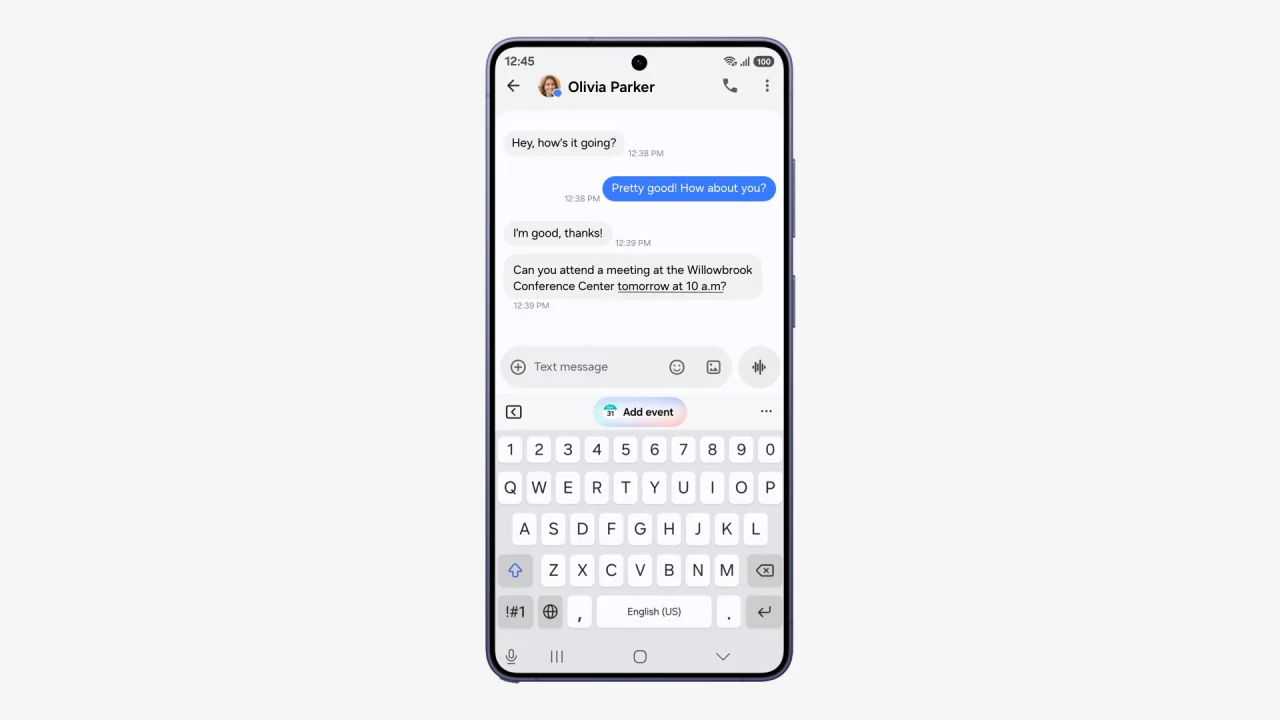 Now Nudge screen recognizing appointment details in a message conversation and suggesting adding it to the calendar — Source: Samsung Global Newsroom
The headline feature of this version is My Fancam. It automatically tracks a chosen person in a video you shot and keeps them centered, reframing as the scene moves. It’s for tidying up video without editing when you want to keep just one person, such as a child’s performance or concert footage.
Now Brief adds generative and editable cards. You build cards yourself from health, weather, and video items, so you decide what shows up in your daily summary.
Now Nudge understands context and suggests the next action; if you’re setting up a meeting by message, you can pull up booking details or save a shared location without leaving the conversation.
Warranty & Care adds device support items to the Settings menu. Checking warranty coverage for devices linked to your Samsung account, running self-diagnostics, looking up repair estimates, managing Samsung Care+, and booking service are all handled inside Settings.
The rest are improvements to existing Galaxy AI features.
- Creative Studio: proactively suggests image generation ideas based on upcoming events
- Interpreter: thread view to check earlier conversation, conversation-mode translation, and shorter playback delay on Galaxy Buds
- Document Scan: corrects curved book pages and paper with folded corners, improved finger removal
- Voice Recorder: outputs summaries with headings and tables in an easy-to-skim structure
Security and privacy
 Samsung Electronics wordmark — Source: Samsung
There are three security changes. Security Brief gathers issues such as malicious apps, apps of unclear origin, and unnecessary permission use inside Now Brief and shows them periodically.
Privacy Alerts uses on-device AI to identify risk signals. When an app tries to access permissions unnecessarily in the background, it alerts you to the attempt, and since the judgment happens on the device, permission usage history isn’t sent to a server.
Scam Detection expands to more countries. The countries Samsung listed in a footnote are Japan, Canada, and India, so Korea isn’t directly part of this expansion, but voice-phishing suspected-call alerts have already been on by default since One UI 8.0, with a usage rate of about 84% as of April 2026.
Korean security features were also strengthened. In June 2026, Samsung said One UI 9 would not only block installation of phishing apps but also block apps already installed from running, based on data from cooperation with the Korean National Police Agency and Galaxy Store reputation data. Malicious message blocking run with the Korea Communications Commission and the Korea Internet & Security Agency has blocked about 400 million messages from its introduction in September 2024 through April 2026.
What Android 17 brings
 Android wordmark — Source: Android
Android 17, the foundation of One UI 9, brings platform-level changes separate from Samsung’s features.
- System contact picker: instead of an app requesting permission to read all contacts, it specifies only the fields it needs and receives only the contacts the user picks (API level 37 and above)
- Advanced Protection Mode: a mode that restricts certain features to reduce the attack surface, similar in nature to iOS Lockdown Mode
- Direct satellite connectivity: improved support for satellite connections where there’s no cellular network
- UWB ranging: adds the Downlink-TDoA API, which calculates position from signal arrival times at multiple anchors
- Screen size adaptation: improves how apps adapt on devices with different screen sizes
Of these, the contact picker and Advanced Protection Mode only take effect when apps support them, so how much you actually notice depends on how fast apps update.
What to check before updating
 Concept image of a software update rolling out in stages — Source: concept image · self-generated with agy
Each feature has conditions. Just gathering the prerequisites Samsung listed in the announcement’s footnotes gives the following.
| Feature | Prerequisite |
|---|---|
| My Fancam | Samsung account sign-in, not supported without a tracking target |
| Now Brief, Now Nudge | Samsung account, varies by country, language, and model |
| Interpreter | Language pack download required |
| Warranty & Care | Repair estimates vary by model and region |
| Scam Detection | Japan, Canada, India first |
The scale of noticeable change should also be factored in. SamMobile said users coming from One UI 8.5 will hardly feel a big difference, and that this version focuses on refinement, so a major overhaul may come with One UI 9.5 launching alongside the Galaxy S27. The UI changes actually confirmed are about a waveform animation in the lock screen media player, the thickness of the brightness and volume sliders, and media controls that became circular.
Since it’s early in the rollout, stability reports are coming in. Posts on the Korean Samsung Members board say battery drain increased after the update, PiP video playback stutters, and the charging animation intermittently doesn’t appear.
On the other hand, there are also reports that control panel frame drops disappeared, so reactions seem to vary by device and usage pattern, but even for an official release it’s safer to keep in mind that it’s an early build.
What to watch next
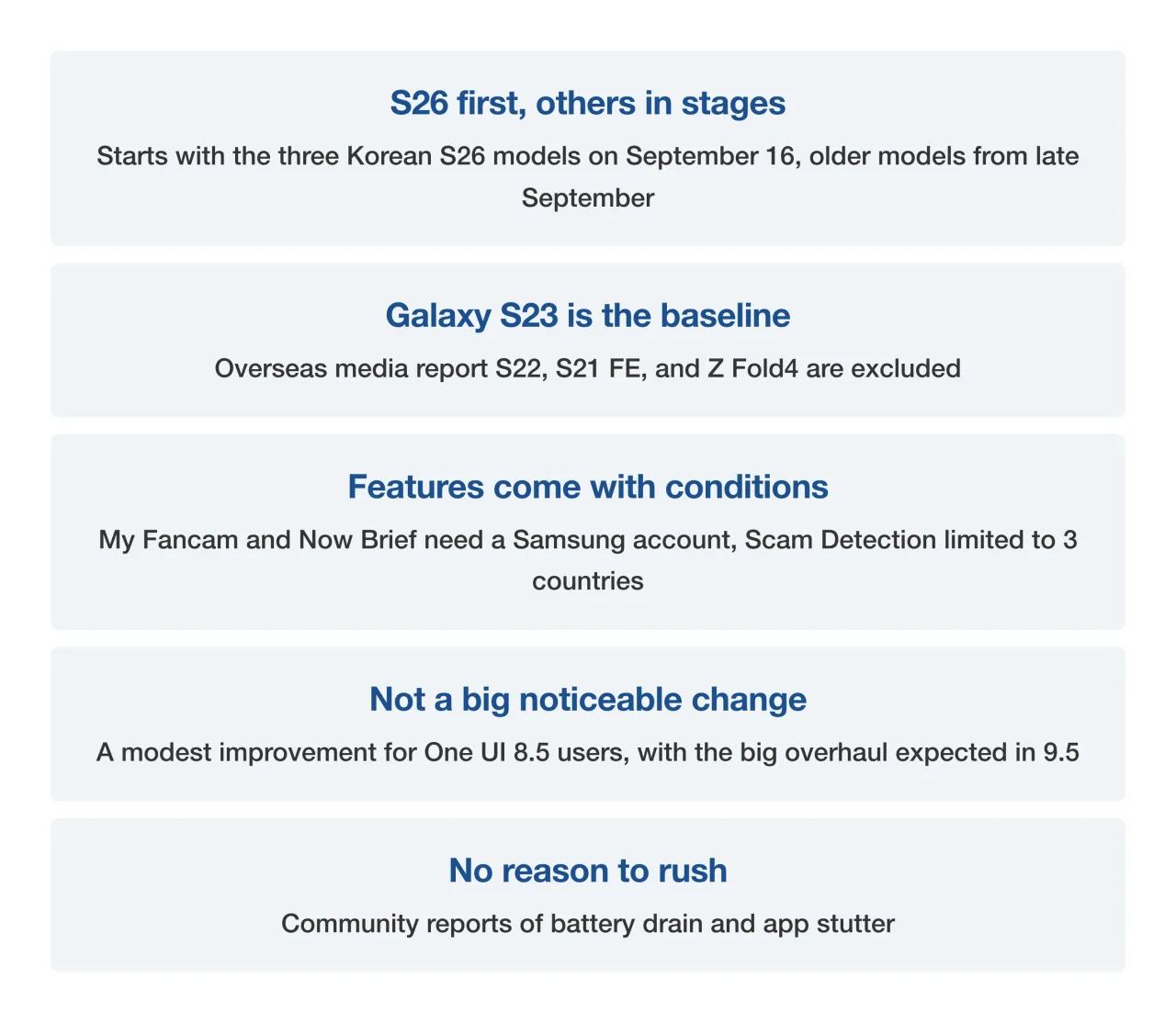 One UI 9 summary card — Source: self-rendered based on the announcement
- Korean rollout timing for the Galaxy S25, Z Fold7, and Flip7 (the Thailand notice says September 28)
- Official schedule announcements for the Galaxy S24 and S23 lines and Tab S9 and later tablets
- The scope of Warranty & Care features such as Samsung Care+ and repair estimates in Korea
- Whether Scam Detection expands to more countries
- Timing of follow-up firmware addressing reports on the early build
Sources
- [Samsung Global Newsroom] Samsung Begins Official Rollout of One UI 9 (2026-09-16, original features, footnotes, supported devices)
- [Samsung Newsroom Korea] Samsung Electronics begins One UI 9 official update (2026-09-16, start of Korean rollout)
- [Newspim] Samsung Electronics begins One UI 9 update (2026-09-17, Korean feature names, security features)
- [Newspim] Samsung Galaxy blocks voice phishing (2026-06-16, Korean voice-phishing alert usage rate, 400 million malicious messages blocked)
- [9to5Google] Samsung starts rolling out Android 17 with One UI 9 (2026-09-16, beta period, initial devices)
- [Android Authority] Galaxy S25 and older models finally have a One UI 9 rollout date (2026, September 28 schedule)
- [SamMobile] Samsung One UI 9: Everything you need to know (supported model tally, UI changes, scale of change)
- [Android Developers] Features and APIs, Android 17 (contact picker, UWB API)
- [Samsung Members] One UI 9 update user report board (early stability reactions)